Switch From a Paper Appointment Book to Online Booking
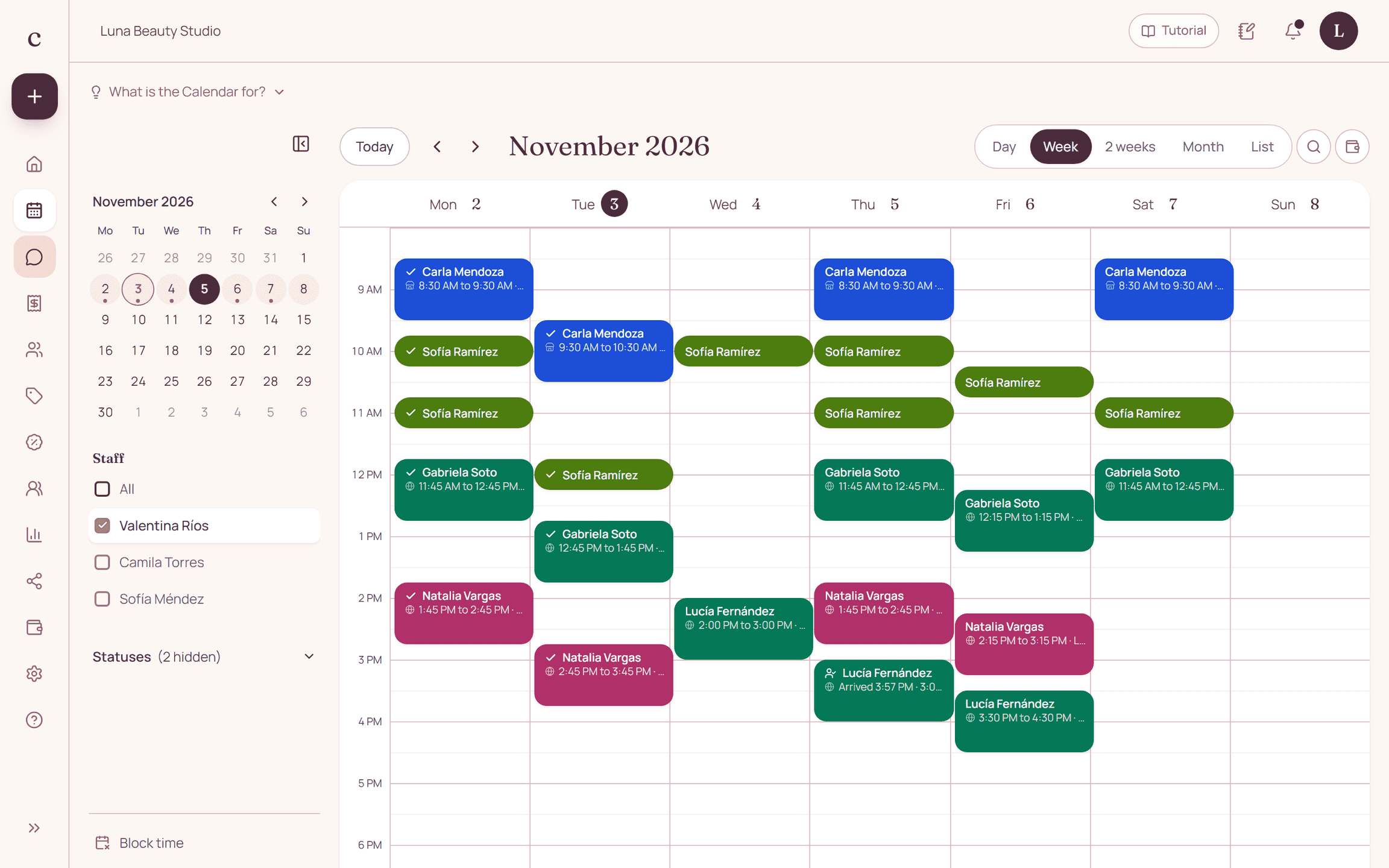
To switch from paper, set up your services and hours first, load your upcoming appointments and check each day before you publish your link. Pick a cutoff date so you don't keep two conflicting schedules.
By the Citalu team
Start with upcoming appointments
Begin with what you have to serve, not with copying years of old books. Review upcoming appointments, their length and the staff member. If an entry is unclear, check with whoever wrote it before you turn it into a digital booking.
Do a cross-check
Compare the paper book with the schedule day by day and staff member by staff member. Look for overlapping appointments, services with no duration and incomplete contact details. Don't publish open times until you finish this check.
End the double entry
Agree on the date from which every new appointment will be entered in the system. If you keep a printout for reference, note when it was made and don't treat it as up to date. Plan how to jot down a change temporarily if you have no connection, and how to reconcile it later.
How to put it into practice
- Set up your service menu and hours before loading appointments.
- Copy over and check your upcoming appointments.
- Set the date from which you'll use a single working schedule.
A common question
Do I need to digitize my whole history before I start?
Not necessarily. Prioritize upcoming appointments and the information you need; keep older records according to your business's needs.
Bring that order to your schedule
Try Citalu with your services and hours. You get 14 days free to see if it fits your business.