Client Appointment History: Past Visits and Contact Info
Appointment history gathers a client's bookings within your business. Use it to look up past visits and organize care. It is not a medical record or an automatic treatment recommendation.
By the Citalu team
Look her up before you create another profile
Search for the client before you enter an appointment by hand. Confirm her phone number and name, especially if her number changed or someone books for her. Creating a new profile for each spelling of a name splits the information and makes her visits hard to find.
Notes that help operations
Write down only what you need to coordinate care: a contact preference or a logistical instruction you agreed on. Avoid storing sensitive information your business does not need. A general notes field is not a medical evaluation or follow-up system.
Her special price and a reminder before each appointment
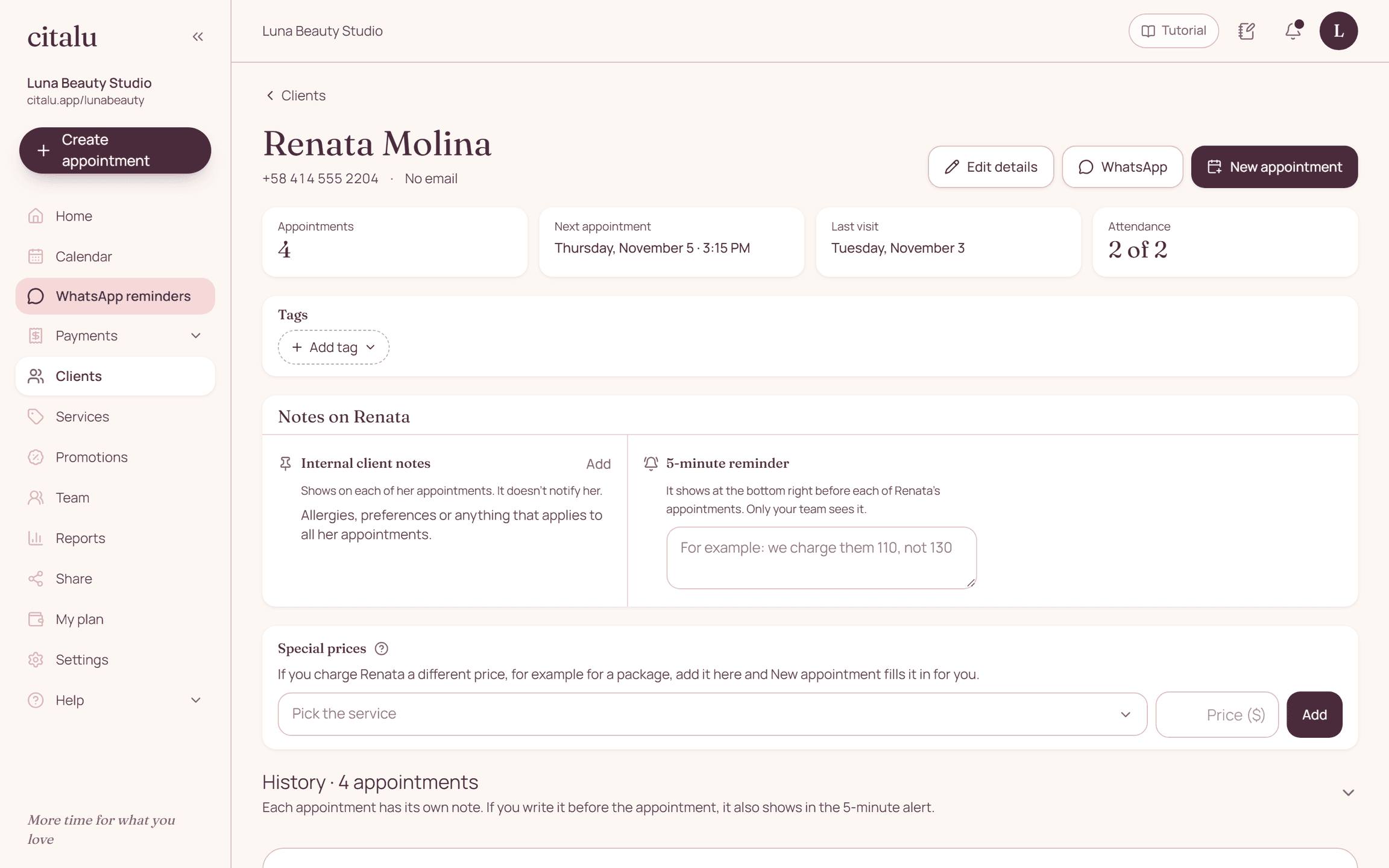
If you charge a client a different price, for example $110 instead of $130 because she bought a package, save it in her profile and every new appointment applies it on its own, without also adding the automatic promotion. And if you want to keep something in mind with her, leave it as a reminder: Citalu shows it to you 5 minutes before each of her appointments.
Up-to-date contact info, for a clear purpose
Ask for the right details when you notice a mistake. Don't treat a booking as unlimited permission to send promotions. Keep the messages needed for that appointment separate from other campaigns your business wants to run.
How to put it into practice
- Search for the existing profile before you enter an appointment.
- Confirm the contact channel with the client.
- Keep notes limited to relevant operational information.
A common question
Can I use it as a medical record?
No. Citalu offers an operational booking history, not a clinical record.
Bring that order to your schedule
Try Citalu with your services and hours. You get 14 days free to see if it fits your business.