Salon Staff Scheduling: One Schedule per Team Member
A schedule per staff member keeps each team member's availability separate. In Citalu, the assigned services, work hours, blocked time and existing appointments decide which times each person can offer.
By the Citalu team
Business hours and personal hours
A business that opens from 9:00 am to 6:00 pm doesn't mean everyone works that whole stretch. Set each person's hours and breaks. A part-day shift should show in the public availability, so the front desk doesn't have to fix bookings later.
Services and permissions are separate choices
Assigning a service to a staff member decides what she can take. Dashboard access decides what she can see or change. Check both when you add someone, and give her her own login instead of sharing the owner's password.
Team changes with appointments pending
Before you cut someone's hours or deactivate a staff member, check her upcoming bookings. Agree on reassignments with the clients and confirm the availability of whoever takes them. Don't delete history to show that someone left the team.
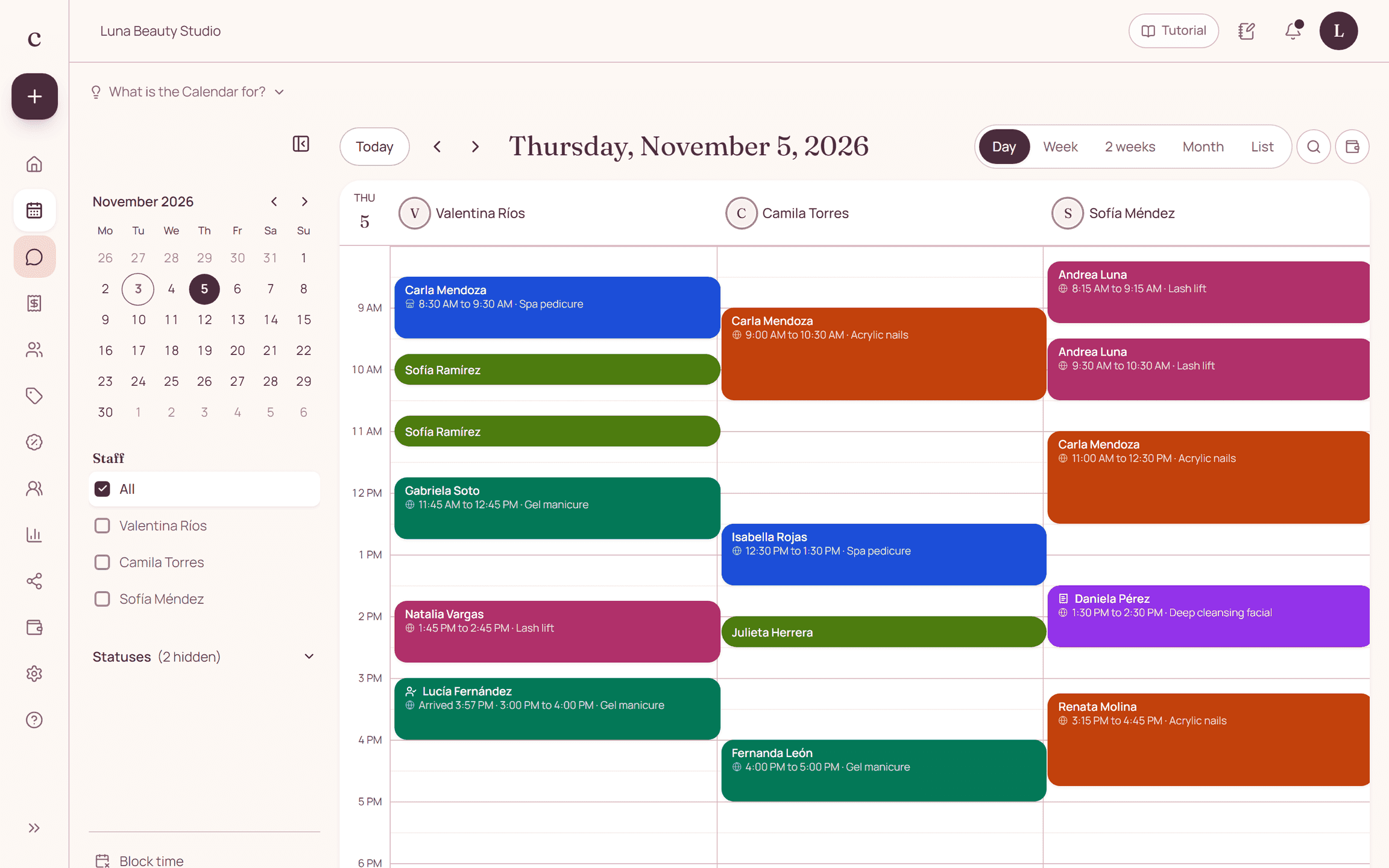
How to put it into practice
- Enter each staff member's hours.
- Assign only the services she performs.
- Test the public times for a staff member on a part-day shift.
A common question
Does a shared treatment room count as a staff member?
No. The schedule represents people. Coordinating treatment rooms and shared equipment needs a separate procedure.
Bring that order to your schedule
Try Citalu with your services and hours. You get 14 days free to see if it fits your business.