Service Menu for Your Med Spa or Esthetics Studio
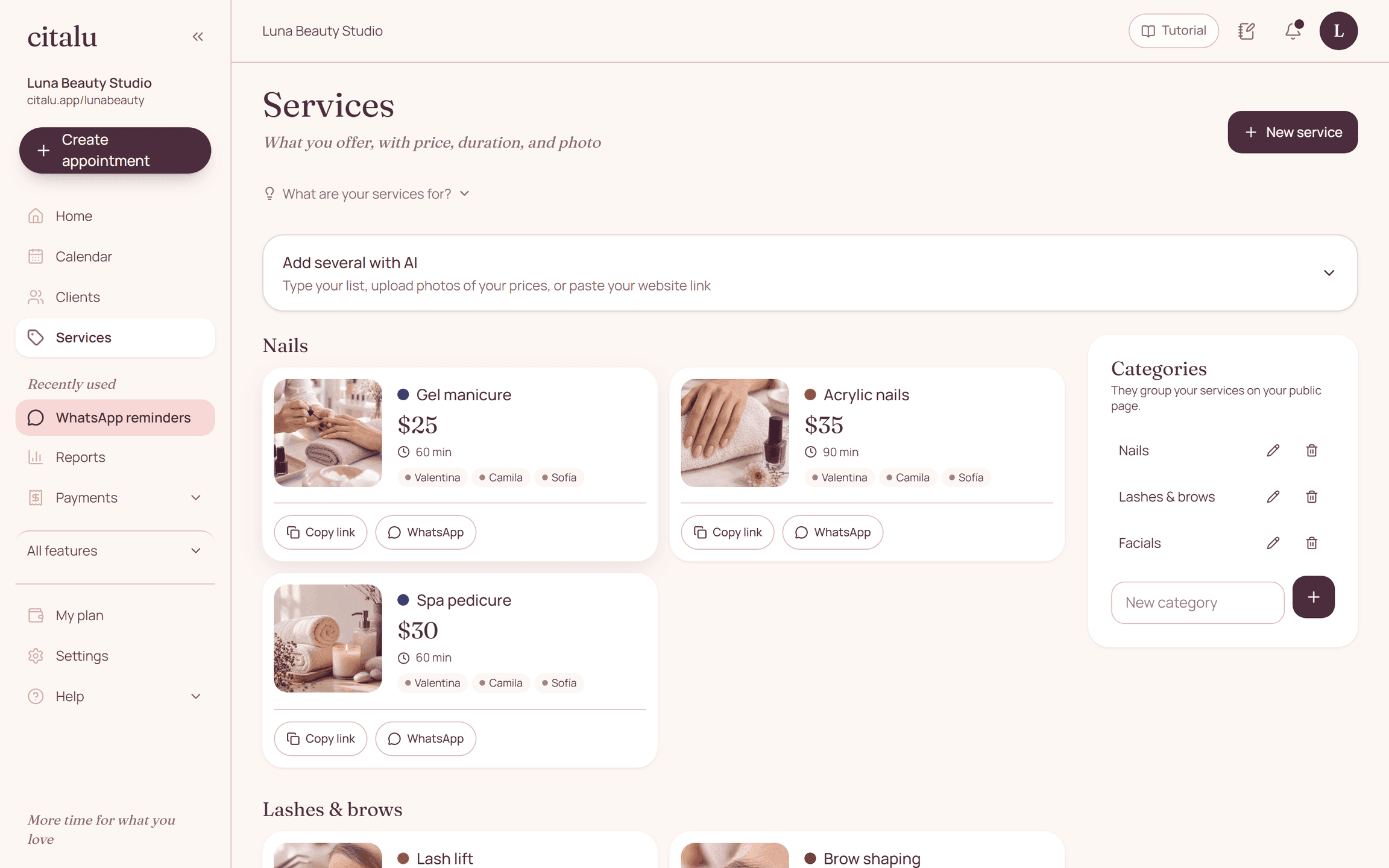
Citalu's service menu presents the services a client can book. Name, description, price, length and assigned staff help turn a general inquiry into a specific choice.
By the Citalu team
Write for someone booking for the first time
Describe what's included in everyday language. A technical name with no explanation can lead to extra questions or wrong bookings. Also explain when it's worth asking first: for example, if earlier work changes how long the service takes.
Length affects your schedule
The time you set feeds into availability. Don't shorten it to make more times show up if you'll end up running over on each appointment. Check the lengths with your team and plan the setup time you need between clients.
Keep the menu current
Update photos and services when your offer changes. Turn off what you can no longer offer, and check existing bookings before you change how you operate. Images should show your own work and have the permissions they need; don't present other people's photos as your results.
How to put it into practice
- Start with the services you can really book online.
- Write what's included and the full length.
- Check the service menu on a phone, with the photos loaded.
A common question
Does the service menu work as inventory?
No. It represents bookable services, not stock or supplies used.
Bring that order to your schedule
Try Citalu with your services and hours. You get 14 days free to see if it fits your business.