Salon Scheduling Software: Day, Week and Month Calendar
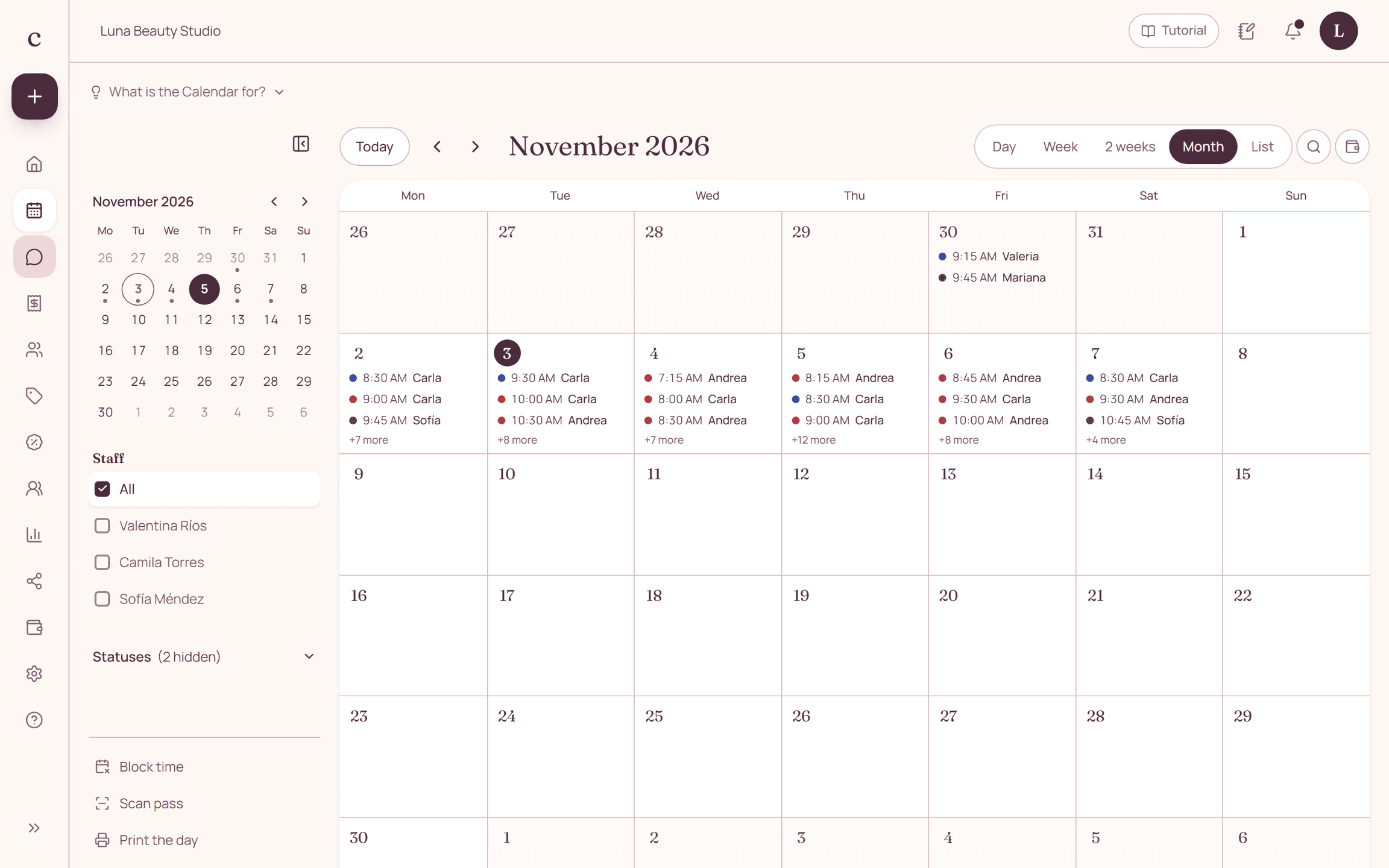
Citalu's calendar shows your appointments by day, week, two weeks, month or list, with a column per staff member. Each appointment has its service's color and a circle that says whether the client came. Tap the grid to create an appointment at that time, in 5-minute steps, and zoom in with your fingers or the trackpad.
By the Citalu team
Five views for five questions
Day, to know what's next and who's working. Week, to spot gaps and spread out appointments. Two weeks, to plan two weeks in a row. Month, to see the full and open days at a glance. List, to review appointments one under another, with the client, the service and the status.
A column per staff member
With a team, each staff member has a column with her hours, blocked time and days off. A booked time is blocked for that staff member: two clients can't take the same time with the same person.
5-minute grid and zoom
The grid cuts every 5 minutes. Tap a time and "New appointment" opens with that time chosen. On a phone, zoom in with two fingers; on a computer, use the trackpad or Ctrl and the wheel. With more zoom, the half hours and the 15- and 5-minute lines appear, and the zoom is saved on your device.
Colors, attendance and Google
Each appointment carries its service's color. The circle at the start says whether the client came, was a no-show, canceled, or there's no information yet. Appointments that come from Google Calendar show a "G".
How to put it into practice
- Add your services with their length and each staff member's hours.
- Open the schedule and try the day, week, two-week, month and list views.
- Tap a gap in the grid to create your first appointment at that time.
Frequently asked questions
Can I see the calendar on my phone?
Yes. The dashboard works in the browser on your phone and your computer, with nothing to install.
Do clients see my calendar?
No. They only see the open times for the services you offer, on your booking page.
Bring that order to your schedule
Try Citalu with your services and hours. You get 14 days free to see if it fits your business.