WhatsApp Booking With AI: Forward a Message to CITU
You forward your client's message to CITU, Citalu's appointment assistant on WhatsApp, or send it a voice note. CITU looks for the time in your schedule, uses only your services and your team, and shows you the appointment with a button to book it. CITU comes with the Estudio and Salón plans. During your free trial, once you turn it on, you can book 10 appointments by chat.
By the Citalu team
What it understands
First and last name, phone number, service, day and time, and who the appointment is with if you have a team. It understands phrases like "Saturday at 3" and turns them into the real date. If the client has come before, it recognizes her.
What it does not do
It does not make things up: if a detail is missing, it asks you. It does not book on its own: it shows you the appointment and waits for your yes.
If the time is taken
It offers the open times for that day and the following days right away, so you don't have to go back and forth with messages.
By hand when you prefer
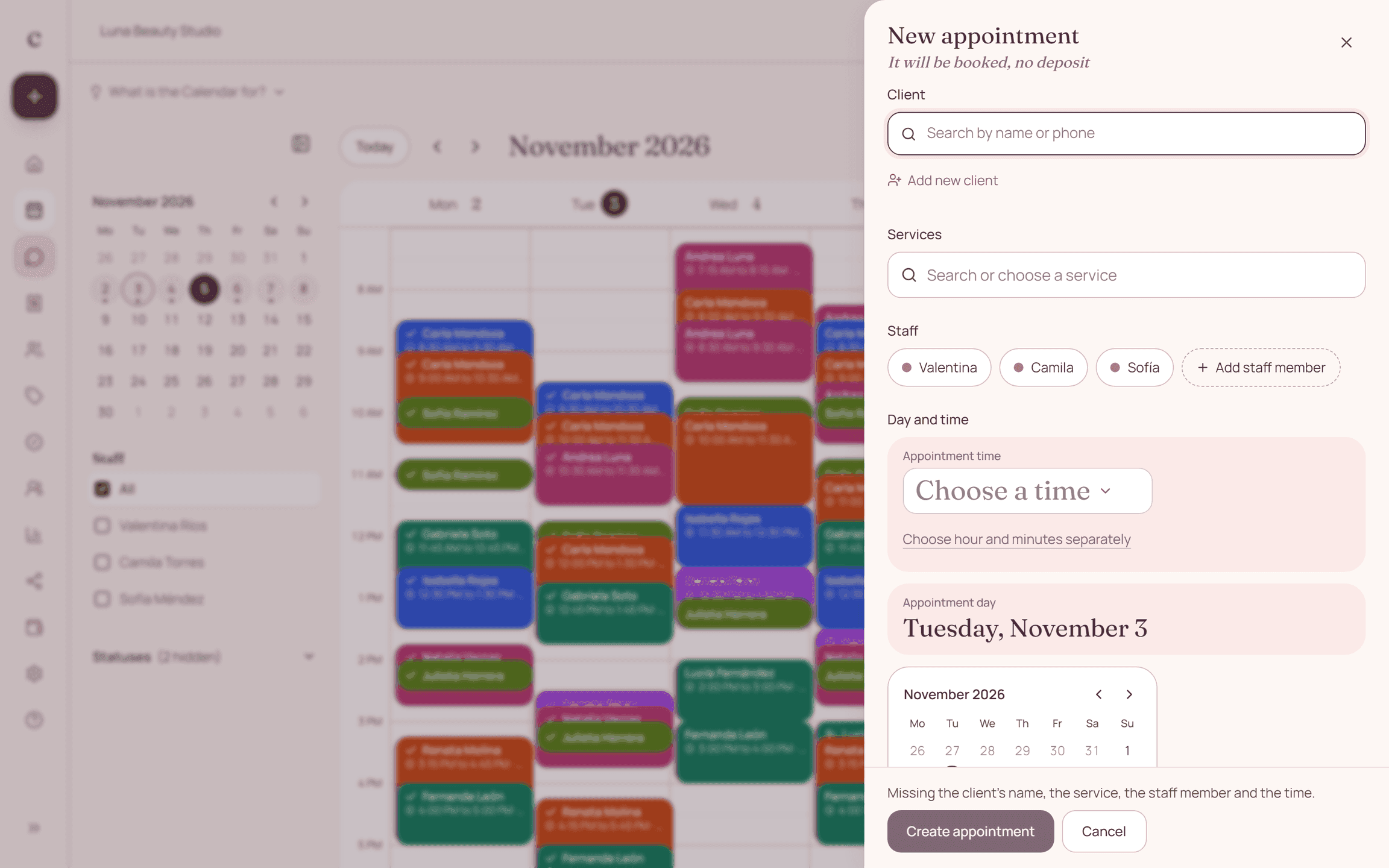
In the dashboard, + Create appointment opens the usual form, with the calendar first and times in am and pm. It sits at the top on a computer and as a floating button on a phone, on every page.
How to put it into practice
- Turn on CITU in your dashboard, under Settings › Notifications.
- Forward your client's message to CITU or send it a voice note.
- Review the appointment it proposes and tap Book.
Frequently asked questions
Which plans include it?
CITU comes with the Estudio and Salón plans. During your free trial, once you turn it on, you can book 10 appointments by chat. By hand, from the dashboard, you can create appointments on every plan.
Is there a limit?
Yes. CITU answers up to 60 messages a day per business, to protect the service. If you reach the limit, create the appointment from your dashboard.
Bring that order to your schedule
Try Citalu with your services and hours. You get 14 days free to see if it fits your business.